

Image OCR
What it does
Section titled “What it does”Image OCR configures the engine used to extract text from images before DLP inspection runs over it — for example, a screenshot containing a credential or a photographed document. You choose an engine, the languages it should recognize, and can disable OCR entirely for a configuration.
Configure in the UI
Section titled “Configure in the UI”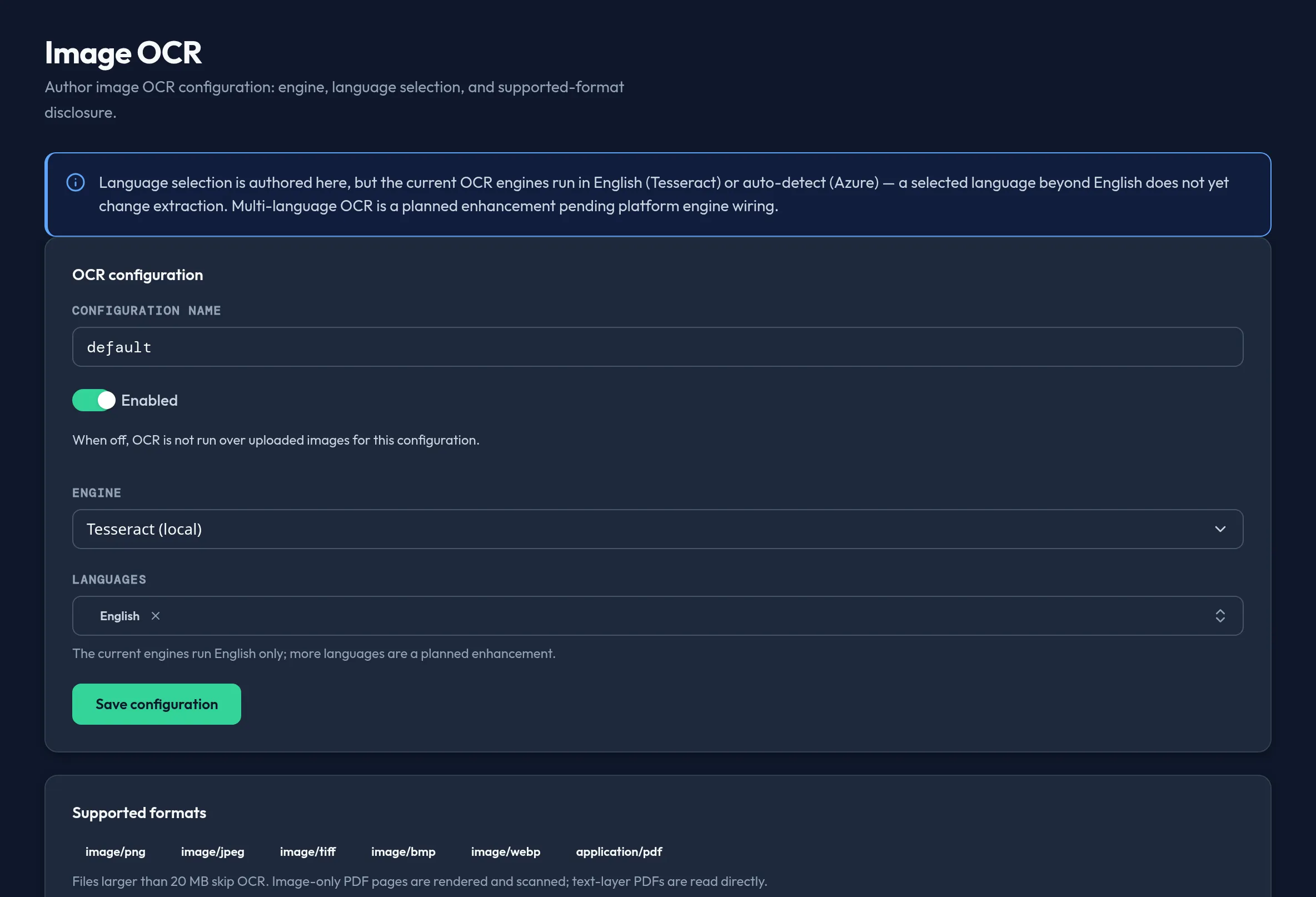
-
Open Models & Routing → Image OCR. Pick an OCR engine from the dropdown: Tesseract (local), Azure AI Vision, or Disabled.
-
Choose which languages to recognize from a bounded multi-select list — this is not free text. If the engine auto-detects language (Azure AI Vision), the control is replaced by an “Auto-detected” badge instead.
-
Review the Supported formats card — it lists every image format this engine accepts, plus the maximum file size; larger files skip OCR. Image-only PDF pages are rendered and scanned; text-layer PDFs are read directly without OCR.
-
Toggle Enabled off to stop running OCR for this configuration without deleting it, then select Save configuration.
API equivalent
Section titled “API equivalent”curl -X POST "https://admin.arbitex.ai/api/v1/admin/models-routing/image-ocr/capabilities" \ -H "Authorization: Bearer $ADMIN_TOKEN" \ -H "Content-Type: application/json" \ -d '{}'# → per-engine language list, auto-detect flag, supported file types, max file size, and the honesty noticecurl -X POST "https://admin.arbitex.ai/api/v1/admin/models-routing/image-ocr/set" \ -H "Authorization: Bearer $ADMIN_TOKEN" \ -H "Content-Type: application/json" \ -d '{"du_id": null, "objects": [{"object_key": "default", "engine": "tesseract", "languages": ["eng"], "enabled": true}]}'set is replace-all for the segment — resend every existing configuration
plus your change. There is no dedicated delete verb.
Plan & availability
Section titled “Plan & availability”Image OCR configuration is available on every plan. Which channel modules (such as File Inspector) route image content into DLP for your organization is a separate, plan-independent capability decision from the OCR engine choice documented here.
Deployment notes
Section titled “Deployment notes”On a Hybrid Outpost, run the local Tesseract engine to keep image content on the deployment unit — this is the only engine choice that never leaves your network. Air-gapped deployments should not select Azure AI Vision, since it requires outbound connectivity to Microsoft’s endpoint that an air-gapped outpost does not have.
Related
Section titled “Related”- Model Catalog — the models that process image content once OCR extracts text.
- Fleet & Outpost — check whether an outpost is air-gapped before choosing a cloud OCR engine.