

Compliance Dashboard
What it does
Section titled “What it does”Compliance Dashboard shows your compliance posture at a glance: frameworks active, percent of controls met, last evidence export, and an overall risk score, plus a per-framework coverage breakdown (met / partial / gap) and a control-mapping table — a framework requirement, the Arbitex control that satisfies it, its status, and evidence references. Coverage reflects your authored desired-state configuration; it is not live enforcement attestation.
Configure in the UI
Section titled “Configure in the UI”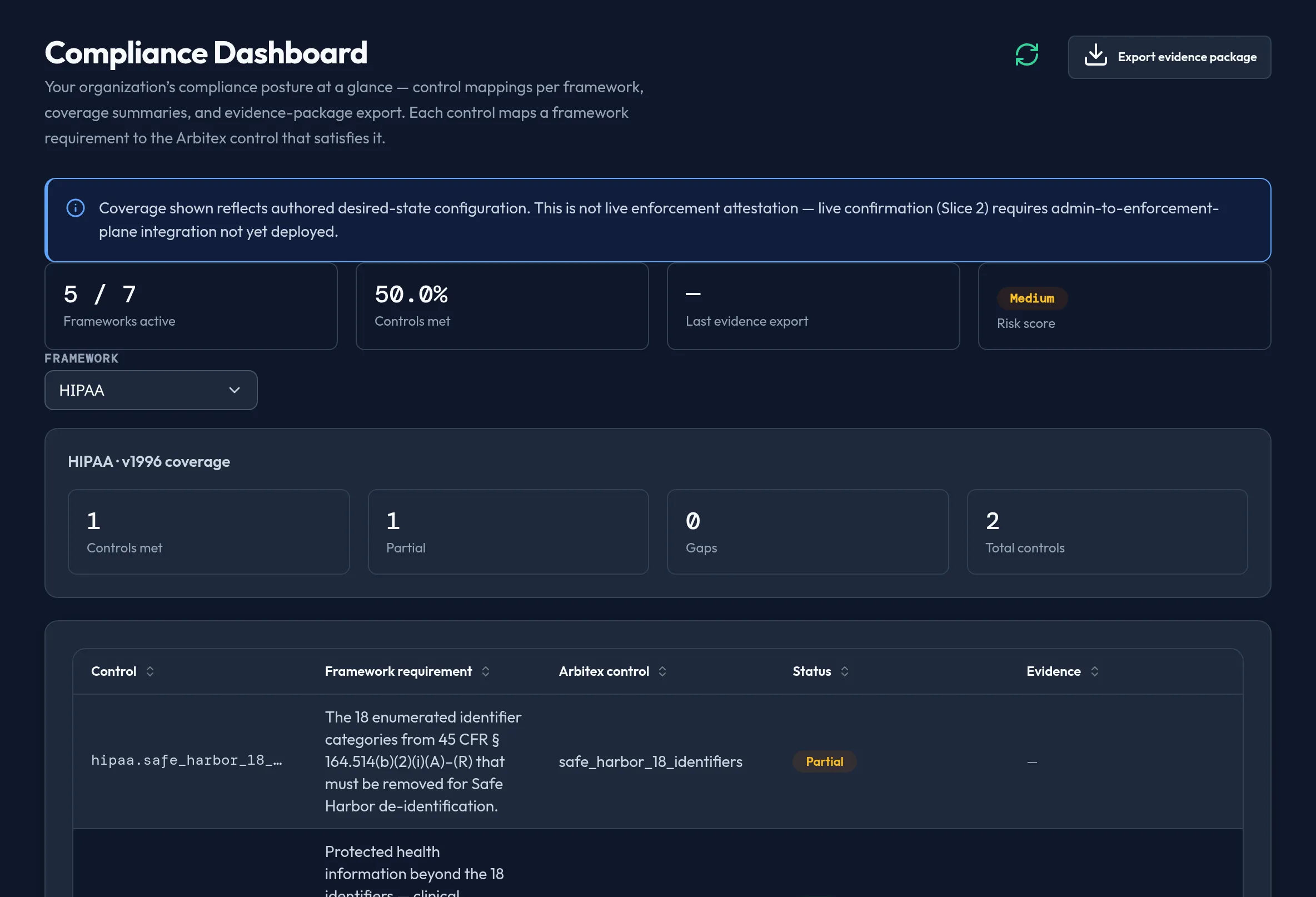
-
Open Monitoring & Reporting → Compliance Dashboard. Review the posture summary: Frameworks active, Controls met %, Last evidence export, Risk score.
-
Pick a Framework — HIPAA, PCI-DSS, GDPR, SOX / SEC MNPI, EU AI Act, NIST AI RMF, or ISO/IEC 42001 — to scope the coverage tiles and control-mapping table.
-
Review the coverage tiles (Controls met / Partial / Gaps / Total) for the selected framework.
-
Review the control-mapping table: control ID, framework requirement, the Arbitex control, status (Met / Partial / Gap), and evidence references.
-
Click Export evidence package to generate and download a real evidence artifact assembled from your current posture.
API equivalent
Section titled “API equivalent”curl -X POST "https://admin.arbitex.ai/api/v1/admin/security/compliance/dashboard" \ -H "Authorization: Bearer $ADMIN_TOKEN" \ -H "Content-Type: application/json" \ -d '{}'
curl -X POST "https://admin.arbitex.ai/api/v1/admin/security/compliance/evidence-package" \ -H "Authorization: Bearer $ADMIN_TOKEN" \ -H "Content-Type: application/json" \ -d '{}'Plan & availability
Section titled “Plan & availability”Available on every plan. Which frameworks are relevant depends on your enabled compliance bundles — see Compliance Bundles.
Deployment notes
Section titled “Deployment notes”Coverage is computed from your authored desired-state configuration server-side. There is no live enforcement-plane attestation yet — a “Met” status means the control is configured as required, not that it has been independently confirmed against live enforcement. Evidence packages are generated and stored per tenant.