

Group Features
What it does
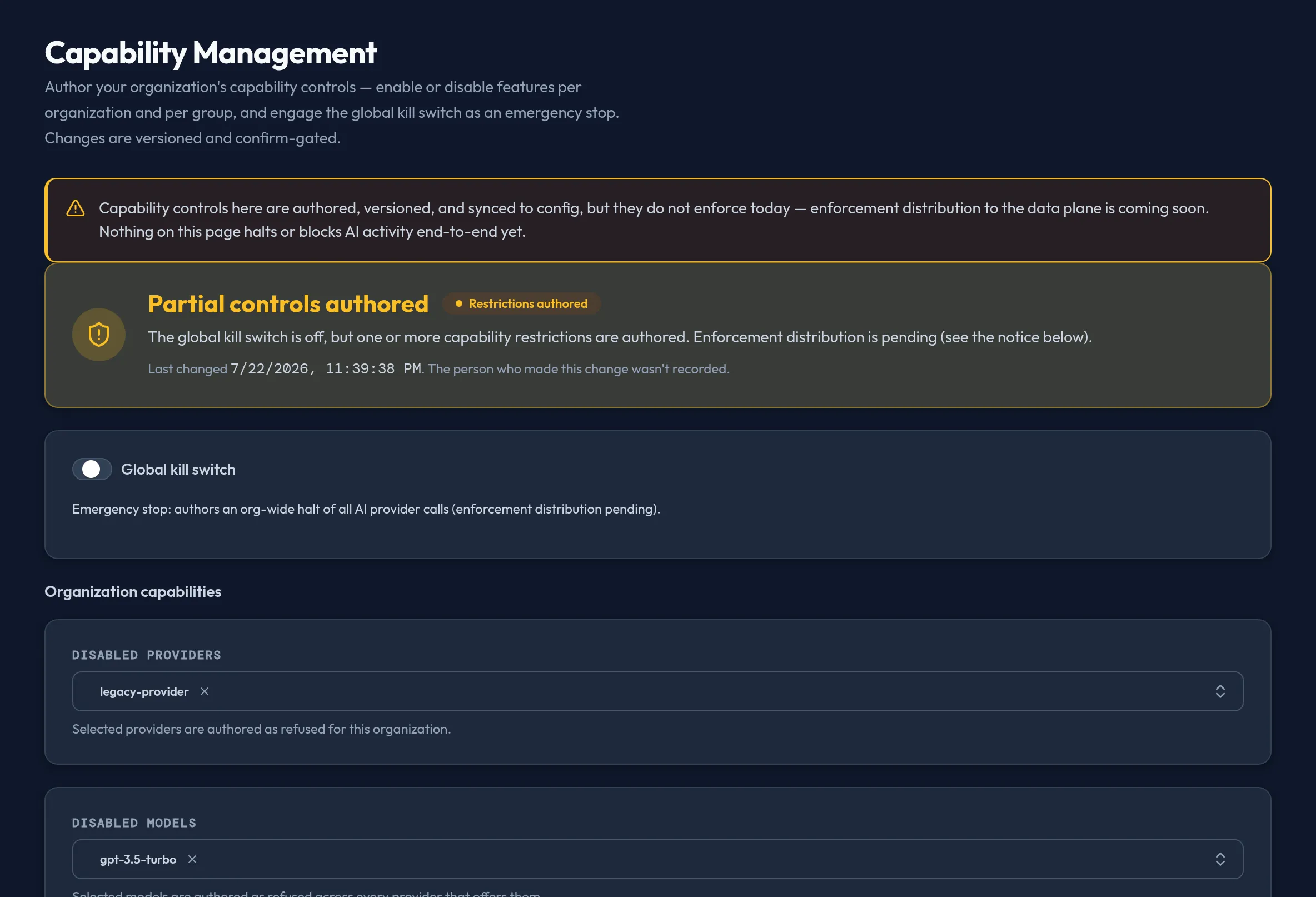
Section titled “What it does”Per-group feature capabilities — such as multimodal and code
interpreter — are toggled per group. There is no standalone Group Features
surface in the shipped admin console. The former Group Features page was
absorbed into the merged Capability Management surface
(/security/capability-management), where a group feature toggle is one
scope-discriminated capability row (scope: "group", a group_id, a
capability key, and an enabled flag) on the account-wide
capability_management domain.
Configure in the UI
Section titled “Configure in the UI”Author per-group feature capabilities from the Capability Management surface — see Global Kill Switch / Capability Management for the full step-by-step. In short: open Security & DLP → Capability Management, add a capability row scoped to a group, pick the group and the capability, set its enabled state, and confirm through the two-step save.
API equivalent
Section titled “API equivalent”Group feature toggles are authored through the Capability Management surface as
scope-discriminated capability rows (scope is org or group only — any
other value fails closed with HTTP 400). The surface is replace-all: /set
submits the full desired state.
# read the current Capability Management statecurl -X POST "https://admin.arbitex.ai/api/v1/admin/security/capability-management/get" \  -H "Authorization: Bearer $ADMIN_TOKEN"
# author the full desired state (replace-all): enable multimodal for one group,# disable code_interpreter for itcurl -X POST "https://admin.arbitex.ai/api/v1/admin/security/capability-management/set" \  -H "Authorization: Bearer $ADMIN_TOKEN" \  -H "Content-Type: application/json" \  -d '{    "global_kill": false,    "disabled_providers": [],    "disabled_models": [],    "capabilities": [      {"scope": "group", "group_id": "$GROUP_ID", "capability": "multimodal", "enabled": true},      {"scope": "group", "group_id": "$GROUP_ID", "capability": "code_interpreter", "enabled": false}    ]  }'
Because /set replaces the whole surface, include every capability row (and the
global kill / disable lists) you want to keep, not just the one you are
changing. Revision history and last-changed attribution are read from
/api/v1/admin/security/capability-management/history and /attribution.
Plan & availability
Section titled “Plan & availability”Capability authoring is available on every plan. Because enforcement is pending, toggling a feature does not currently unlock or restrict anything for any plan tier.
Deployment notes
Section titled “Deployment notes”On a Hybrid Outpost, capability rows are authored and stored the same as on the cloud admin console; there is no deployment-specific behavior beyond the scope you choose. In an air-gapped deployment, authoring works fully offline — there is no external dependency for reading or writing this surface.
Related
Section titled “Related”- Global Kill Switch / Capability Management — the shipped home for group feature capabilities, the global kill switch, and provider/model disable lists.
- Groups & roles — where the groups a capability row targets are created and managed.
- Config Backup & Restore — capability state is included in every backup snapshot.