

Quotas
What it does
Section titled “What it does”Quotas authors request and token usage caps under a discriminated scope:
- Target audience — a holistic cap on one user, group, or app.
- Provider / model — a cap on one provider, optionally narrowed to one model.
Each quota sets a Requests / day and a Tokens / month limit. This is the single canonical quota surface — it consolidates what used to be a separate System typed-form editor and an inline Access Controls quota section into one dedicated, richer page.
Configure in the UI
Section titled “Configure in the UI”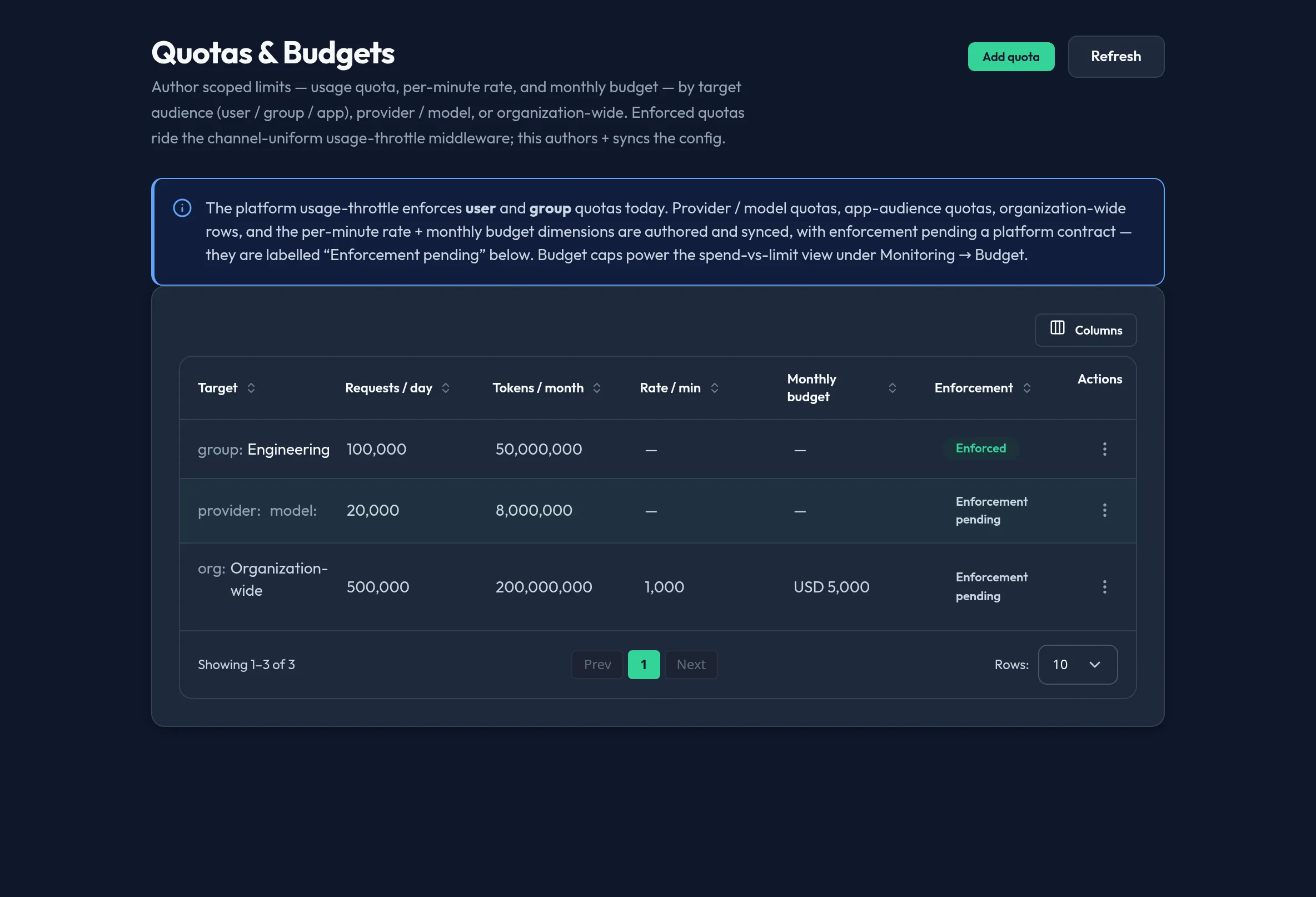
-
Open System → Quotas and click Add quota.
-
Choose the Quota scope: Target audience (user / group / app) or Provider / model.
-
For a target-audience quota, pick the Subject type (User, Group, or App) and then the specific Subject from the picker — it falls back to a plain ID field only if the server can’t yet enumerate that subject type.
-
For a provider/model quota, enter the Provider (for example
openai,anthropic) and optionally a Model — leave the model blank to cap the whole provider. -
Set Requests / day and Tokens / month, then Save quota. Use the row’s action menu to Edit quota or Delete quota.
API equivalent
Section titled “API equivalent”List and author quotas (each call targets one quota object by key):
curl -X POST "https://admin.arbitex.ai/api/v1/admin/users-access/quotas/list" \  -H "Authorization: Bearer $ADMIN_TOKEN"# → { "objects": [ { "object_key": "...", "payload": { "scope": "audience", "subject_type": "user", "subject_id": "...", "requests_per_day": 1000, "tokens_per_month": 500000 } } ] }
curl -X POST "https://admin.arbitex.ai/api/v1/admin/users-access/quotas/upsert" \  -H "Authorization: Bearer $ADMIN_TOKEN" \  -H "Content-Type: application/json" \  -d '{"quota": {"scope": "audience", "subject_type": "group", "subject_id": "$GROUP_ID", "requests_per_day": 5000, "tokens_per_month": 2000000}}'
curl -X POST "https://admin.arbitex.ai/api/v1/admin/users-access/quotas/delete" \  -H "Authorization: Bearer $ADMIN_TOKEN" \  -H "Content-Type: application/json" \  -d '{"object_key": "$OBJECT_KEY"}'
Although this panel is nav-homed at /system/quotas, its backend routes live
under the Users & Access authoring seam (/api/v1/admin/users-access/quotas)
— it consolidates the account-derived quota domain that used to be split
across two surfaces.
Plan & availability
Section titled “Plan & availability”Quota authoring is available on every plan. Enforced user/group quotas apply uniformly regardless of tier; provider/model and app-audience quotas are authored the same way on every plan, pending platform enforcement.
Deployment notes
Section titled “Deployment notes”On a Hybrid Outpost, the usage-throttle middleware that enforces user and group quotas runs in that deployment’s own data plane, so an authored quota only applies to traffic through that Outpost. In an air-gapped deployment, quota authoring and enforcement both work fully offline — usage counters are tracked locally.
Related
Section titled “Related”- Budget — a cost cap, not a request/token cap; authored similarly but not yet enforced at all.
- Groups & roles — where the groups you can target with an audience quota are managed.
- Rate limits — provider-level rate limiting is a related but distinct control under Models & Routing.