

Provider Credentials
What it does
Section titled “What it does”Provider Credentials is where you bring your own (BYO) API credentials for AI providers — OpenAI, Anthropic, Azure OpenAI, AWS Bedrock, Google Vertex, Mistral, Cohere, or a custom/other provider. The control plane never sees the plaintext secret: you supply an already-encrypted ciphertext and a KMS-wrapped data-encryption key, produced by a client-side envelope-encryption step, and the console stores only that ciphertext.
Configure in the UI
Section titled “Configure in the UI”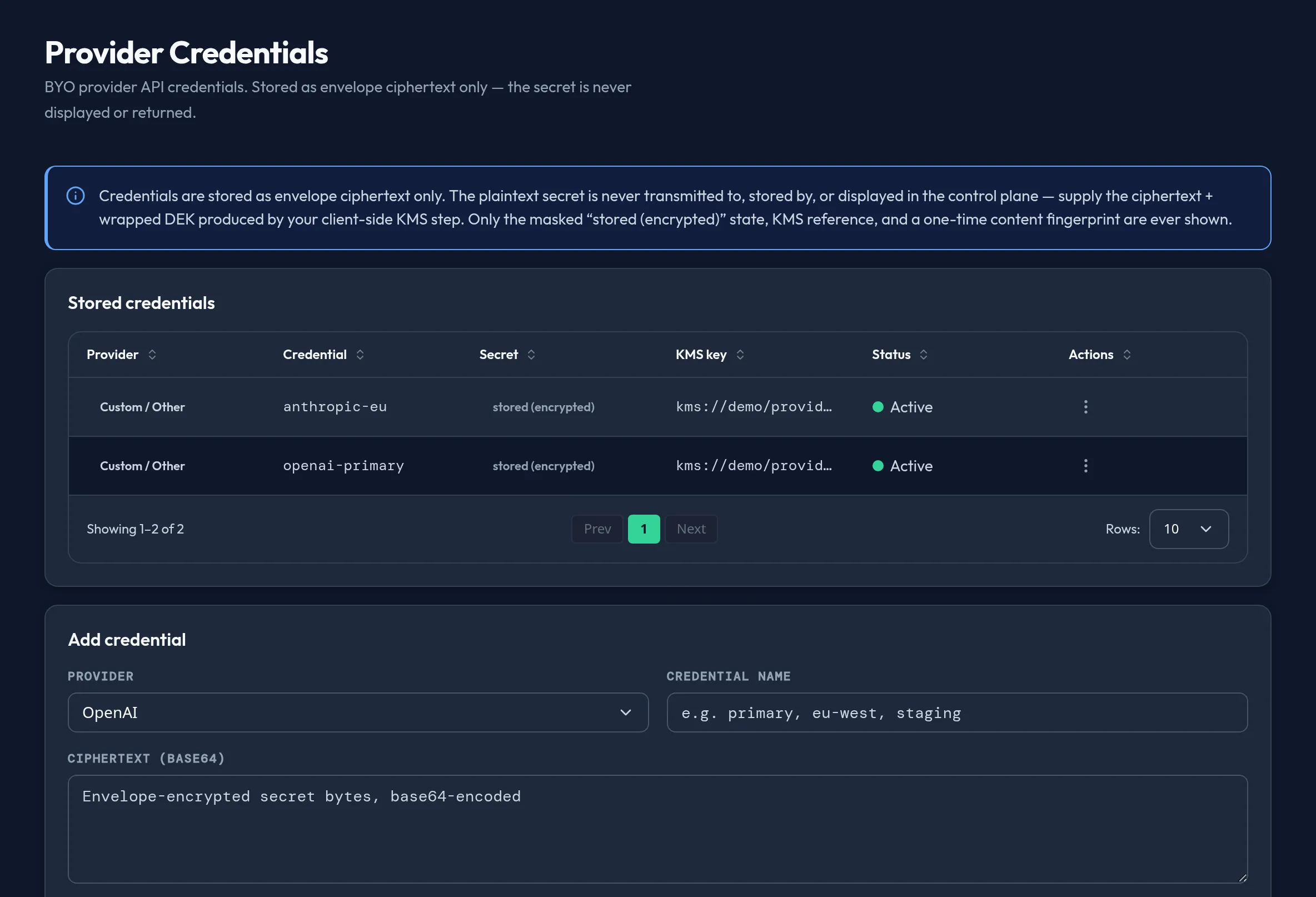
-
Open Models & Routing → Provider Credentials and select Add credential.
-
Choose a Provider (OpenAI, Anthropic, Azure OpenAI, AWS Bedrock, Google Vertex, Mistral, Cohere, or Custom / Other) and a Credential name (for example
primary,eu-west,staging) — together these form the credential’s key. -
Paste the Ciphertext (base64) and Wrapped DEK (base64) produced by your own envelope-encryption/KMS step — this form does not accept a raw API key. Optionally set a KMS key reference.
-
Select Store credential. A one-time dialog shows the content fingerprint — record it if you need to verify the stored value later; it will not be shown again.
-
To rotate, open the row’s Rotate action and submit a fresh ciphertext and wrapped DEK — you can leave the KMS reference blank to carry the existing one forward. To retire a credential, select Revoke and confirm; this is a governance action, not a delete — the ciphertext is never touched, but the gateway stops dispatching with it.
API equivalent
Section titled “API equivalent”curl -X POST "https://admin.arbitex.ai/api/v1/admin/models-routing/provider-credentials/set" \ -H "Authorization: Bearer $ADMIN_TOKEN" \ -H "Content-Type: application/json" \ -d '{"du_id": null, "objects": [{"object_key": "openai:primary", "ciphertext_b64": "<ciphertext>", "wrapped_dek_b64": "<wrapped-dek>", "kms_key_ref": "kms://key/..."}]}'curl -X POST "https://admin.arbitex.ai/api/v1/admin/models-routing/provider-credentials/rotate" \ -H "Authorization: Bearer $ADMIN_TOKEN" \ -H "Content-Type: application/json" \ -d '{"du_id": null, "object_key": "openai:primary", "ciphertext_b64": "<new-ciphertext>", "wrapped_dek_b64": "<new-wrapped-dek>"}'curl -X POST "https://admin.arbitex.ai/api/v1/admin/models-routing/provider-credentials/revoke" \ -H "Authorization: Bearer $ADMIN_TOKEN" \ -H "Content-Type: application/json" \ -d '{"du_id": null, "object_key": "openai:primary", "reason": "rotated externally"}'Plan & availability
Section titled “Plan & availability”Provider Credentials is available on every plan — BYO provider access is not gated by tier.
Deployment notes
Section titled “Deployment notes”On a Hybrid Outpost, the ciphertext you store here is unwrapped only at the deployment unit itself, where the KMS key-encryption key lives — never at the SaaS control plane. An air-gapped outpost needs its local KMS to be reachable for that unwrap step to succeed at request time.
Related
Section titled “Related”- Model Catalog — BYO OpenAI-compatible endpoints that use these credentials.
- Fleet & Outpost — which outposts dispatch using a given credential.