

Detectors
What it does
Section titled “What it does”Detectors is where you browse the built-in detector catalog and author your own custom match definitions — this panel absorbed the former standalone “Data Loss Prevention” custom-pattern authoring surface. A detector only defines what to match; it carries no action and no scope of its own. Those are set only when you apply the detector to a pack, in Policy Packs.
Configure in the UI
Section titled “Configure in the UI”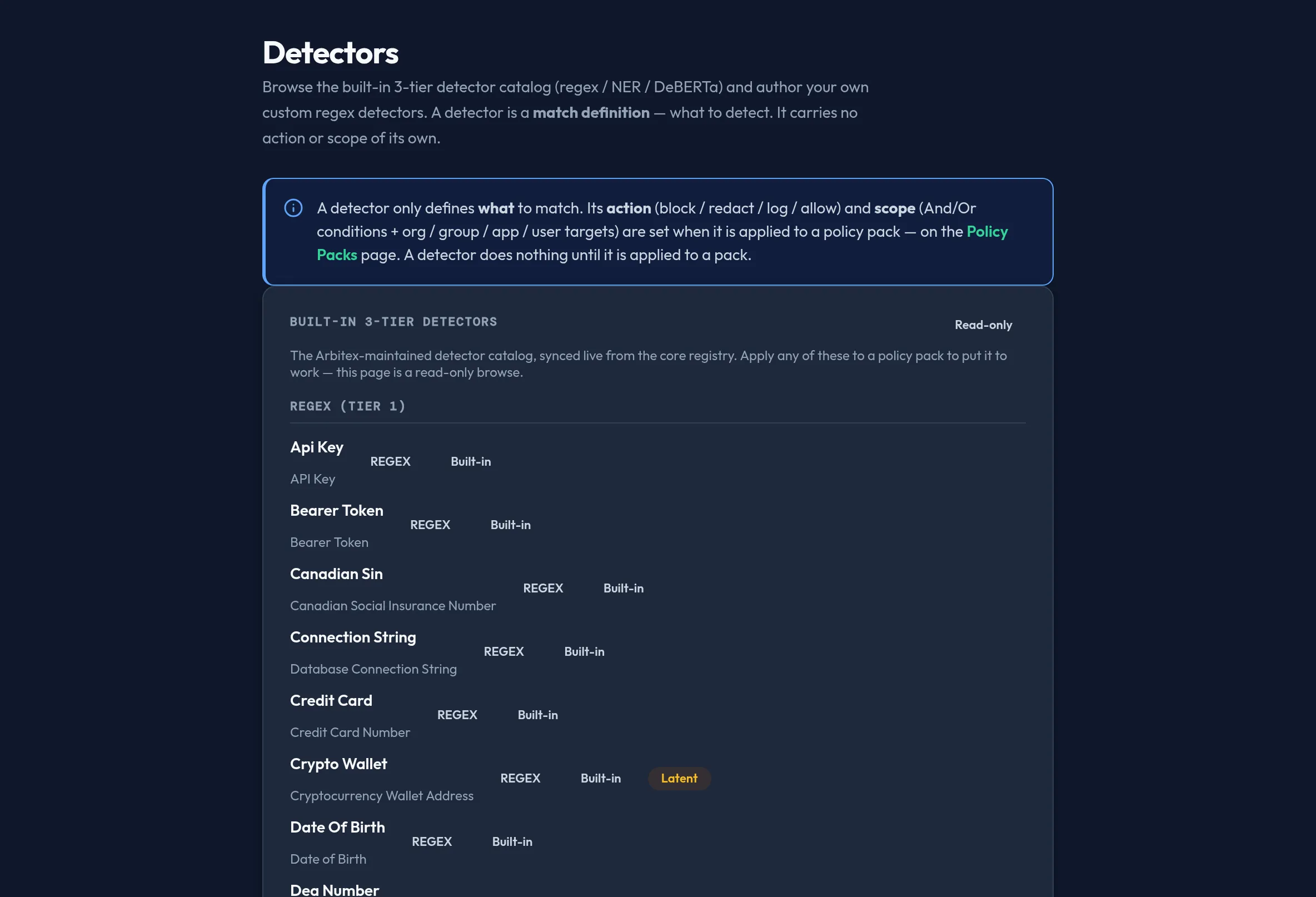
-
Open Security & DLP → Detectors. The Built-in detectors card lists the Arbitex-maintained catalog, grouped by tier — Regex (Tier 1), Named entities (Tier 2), and Contextual DeBERTa (Tier 3) — synced live from the core registry. This browse is read-only; apply an entry to a policy pack to put it to work.
-
If your organization has Arbitex-provisioned contextual detectors (engaged out-of-band), they appear in their own read-only card — includable by name in a pack, but not self-authored here.
-
In Custom detectors, click Add detector to author your own Tier-1 regex match: give it a unique name and a regex pattern. The pattern is compiled verbatim by the engine, with no implicit flags.
-
Edit or Delete an existing custom detector from its row. Saving replaces the whole custom-detector set — built-in and contextual detectors are always carried forward untouched.
-
Use Test a detector match to paste sample content and see which of your detectors would fire. This is a match-definition sanity check only — it computes no action (a detector has none until applied to a pack) and runs entirely in your browser. Your custom regex is evaluated exactly; built-in and contextual detectors are registry-backed and read as evaluated server-side.
API equivalent
Section titled “API equivalent”curl -X POST "https://admin.arbitex.ai/api/v1/admin/security/detectors/get" \ -H "Authorization: Bearer $ADMIN_TOKEN"List the read-only built-in catalog:
curl -X POST "https://admin.arbitex.ai/api/v1/admin/security/detectors/catalog" \ -H "Authorization: Bearer $ADMIN_TOKEN"Save the full custom-detector set as a new revision (this replaces the whole detectors surface, so include every detector you want kept — built-in and contextual detectors are preserved automatically by the console; if you call the API directly, round-trip them yourself):
curl -X POST "https://admin.arbitex.ai/api/v1/admin/security/detectors/set" \ -H "Authorization: Bearer $ADMIN_TOKEN" \ -H "Content-Type: application/json" \ -d '{ "detectors": [ { "name": "internal-project-codename", "tier": "regex", "source": "custom", "match": { "pattern": "PROJECT-[0-9]{4}" } } ] }'Plan & availability
Section titled “Plan & availability”Browsing the built-in catalog is available on every plan. Custom detector authoring is part of the core DLP feature set; a capability above your tier renders visible but disabled with an upgrade prompt.
Deployment notes
Section titled “Deployment notes”Custom detectors are versioned and distributed to every enforcement point, including a Hybrid Outpost’s data plane, the same way as policy packs. If the live core detector registry is temporarily unreachable, the built-in catalog browse degrades to an honest “temporarily unavailable” notice rather than showing a stale list — your custom detectors are unaffected.
Related
Section titled “Related”- Policy Packs — apply a detector as a chain entry.
- Content Filters — a friendlier authoring view over custom regex detectors for keyword/topic lists.
- About DLP — the conceptual model.
- DLP detection hierarchy
- Tier 0 pre-filter
- Secret key detection (Tier 4 / CredInt)