

Organization
What it does
Section titled “What it does”The Organization panel is the top entry in System — it is pinned there because everything else in the console operates in the context of the organization it displays. It has three parts:
- Identity — a read-only card showing your organization name, slug, role, signed-in principal, account ID, and user ID. This is always derived from your current session, never from a client-supplied ID, so it cannot be used to view another organization’s data.
- Settings — an editable form for organization profile (display name, default locale, support email), localization (timezone, date format), DLP fail mode, session timeout, and rate-limit authoring.
- Data Retention — a read-only summary of your organization’s retention periods. Retention has cost and compliance implications, so it is staff-controlled: you can see the current values here, but changing them requires contacting Arbitex support.
Configure in the UI
Section titled “Configure in the UI”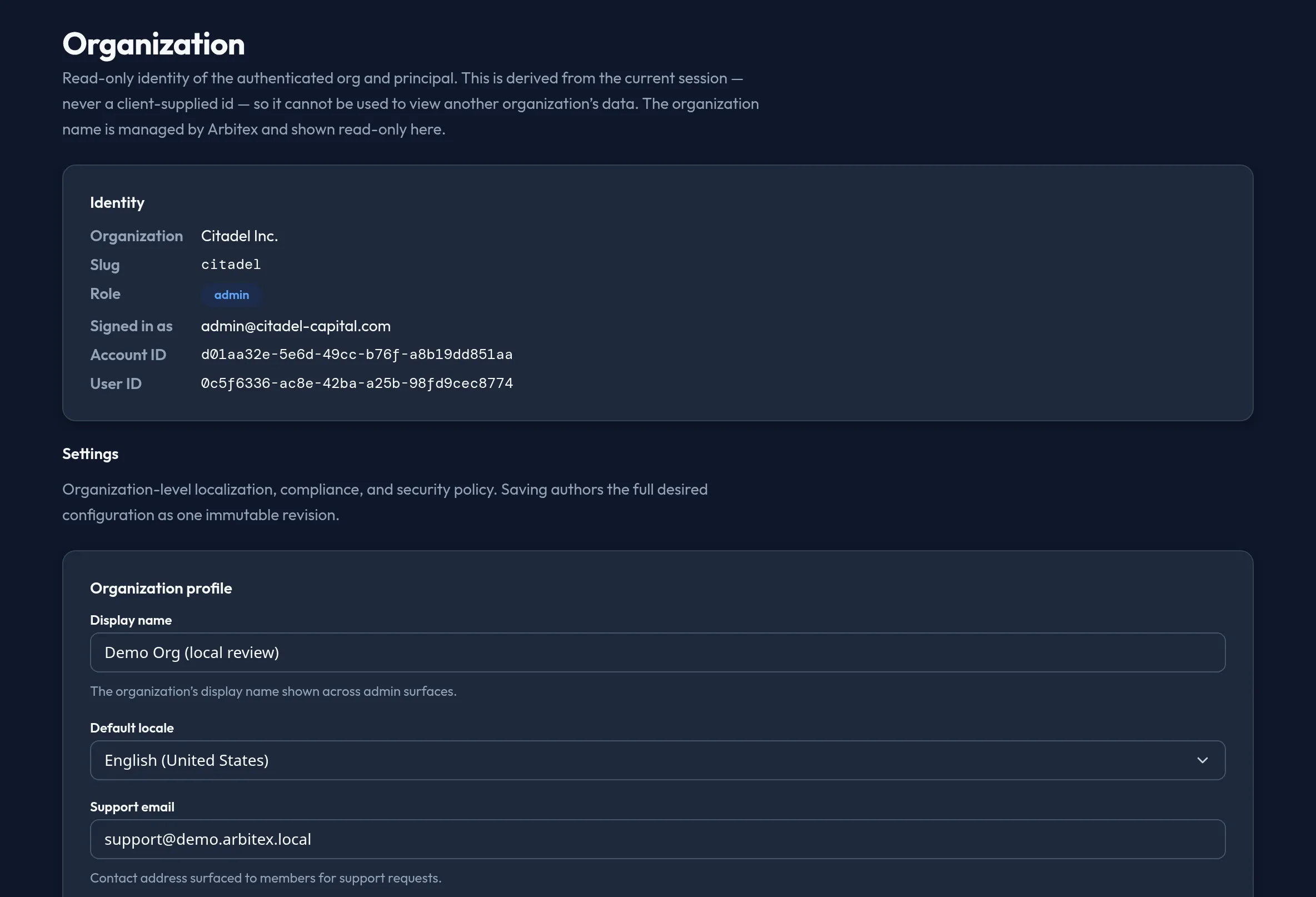
-
Open System → Organization. The Identity card loads first, showing your organization name, slug, role, and account/user IDs.
-
Scroll to Settings to edit organization profile and localization: display name, default locale, support email, timezone, and date format.
-
Under DLP & Compliance, choose the DLP fail mode — Fail closed (block) or Fail open (allow) — for when DLP scanning is unavailable. Choosing fail open shows a caution that requests may pass through unscanned.
-
Under Security Policies, set the session timeout (5–1440 minutes). Multi-factor authentication and the IP allowlist are configured elsewhere — Users & Access → Auth Policy and Users & Access → Access controls, respectively — and are called out here so you don’t look for them twice.
-
Under Rate Limits, you can author an API-requests-per-minute and a webhook-dispatches-per-hour value. A badge marks this section Enforcement pending — see below.
-
Click Save settings to author the full settings object as one new revision.
-
Scroll to Data Retention to see your organization’s current retention periods (for example, audit log or usage rollup). There is no edit control here — retention is managed by Arbitex.
API equivalent
Section titled “API equivalent”Read your identity:
curl "https://admin.arbitex.ai/api/v1/admin/auth/me" \ -H "Authorization: Bearer $ADMIN_TOKEN"# → { "account_name": "...", "account_slug": "...", "role": "admin",# "email": "...", "account_id": "...", "user_id": "..." }Read and save organization settings (replace-all — every save authors the full desired settings object as one revision):
curl -X POST "https://admin.arbitex.ai/api/v1/admin/system/org-settings/get" \  -H "Authorization: Bearer $ADMIN_TOKEN"
curl -X POST "https://admin.arbitex.ai/api/v1/admin/system/org-settings/set" \  -H "Authorization: Bearer $ADMIN_TOKEN" \  -H "Content-Type: application/json" \  -d '{"settings": {"display_name": "Acme Corp", "default_locale": "en-US", "support_email": "[email protected]", "timezone": "UTC", "date_format": "ISO 8601", "dlp_fail_mode": "closed", "session_timeout_minutes": 60, "rate_limit_per_minute": 1000, "webhook_rate_limit_per_hour": 500, "data_residency_region": "us"}}'
Read the current (staff-managed) retention policies, read-only:
curl -X POST "https://admin.arbitex.ai/api/v1/admin/system/retention-policies/list" \ -H "Authorization: Bearer $ADMIN_TOKEN"# → { "objects": [ { "object_key": "audit_log", "payload": { "resource": "audit_log", "retention_days": 365 } } ] }Plan & availability
Section titled “Plan & availability”Organization identity and settings are available on every plan. Data residency is fixed at org creation and cannot be changed from the console — contact support to migrate.
Deployment notes
Section titled “Deployment notes”On a Hybrid Outpost, identity and settings are served from the org’s
control-plane database, the same as admin.arbitex.ai. Retention values shown
here reflect the retention Arbitex staff has configured for your deployment.
In an air-gapped deployment, changes to staff-managed retention are
requested through your usual offline support channel rather than a live
support ticket.
Related
Section titled “Related”- Authentication methods — MFA is configured on Users & Access, not here.
- Groups & roles — the IP allowlist lives under Users & Access → Access controls.
- Advanced Settings — the full typed
system_configcatalog, for settings beyond this page’s scope.