

Audit log
What it does
Section titled “What it does”The Audit log panel is your organization’s tamper-evident record of security-relevant activity — logins, logouts, MFA challenges, configuration changes and reads, user-management actions, and model invocations. Every entry is chained with an HMAC, and the console re-verifies the entire chain each time you open the page, so tampering is detectable rather than silently hidden. DLP detections are a separate telemetry stream — see DLP Activity.
Configure in the UI
Section titled “Configure in the UI”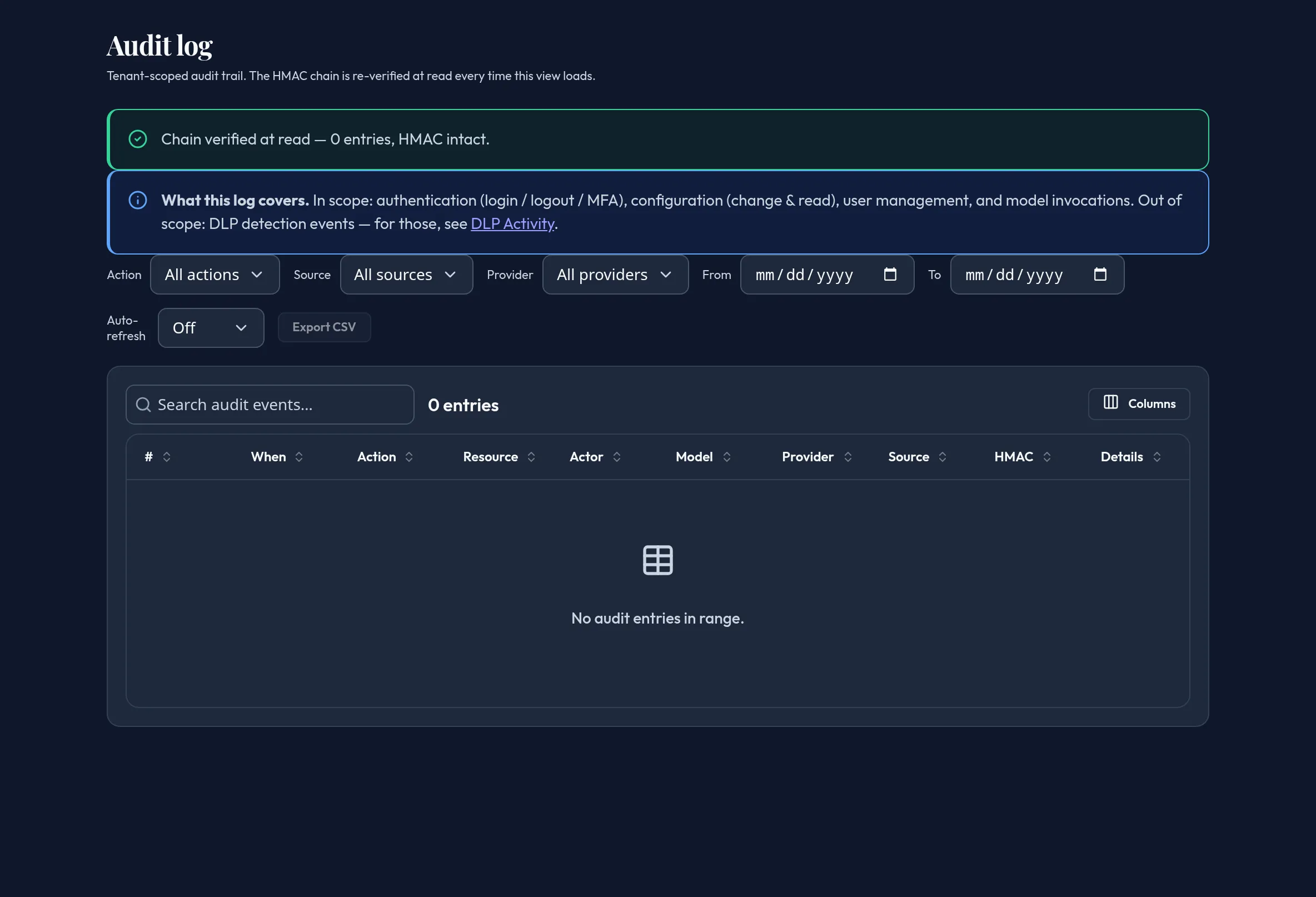
-
Open Monitoring & Reporting → Audit log. Entries load with a chain-verification banner at the top — “Chain verified at read” with the number of entries checked, or a warning naming what failed.
-
Filter by Action (
login,logout,model.invoke,config.change,config.read,auth.mfa,user.create,user.delete), Source (web,api,cli,system), and Provider (derived from the currently loaded rows so a chosen provider never disappears from the list). -
Narrow by date range with From / To, or use the search box for free-text search across the events.
-
Set Auto-refresh to poll for new entries on a cadence, or leave it off.
-
Click View on any row to open the detail drawer — every field on the entry, plus a Copy JSON button for the raw payload.
-
Click Export CSV to download the filtered/searched result set (bounded to the server’s row cap).
API equivalent
Section titled “API equivalent”List a bounded, parameterized window of the audit trail (the account is derived server-side — you never pass an org or account ID):
curl -X POST "https://admin.arbitex.ai/api/v1/admin/monitoring/audit/list" \ -H "Authorization: Bearer $ADMIN_TOKEN" \ -H "Content-Type: application/json" \ -d '{"filter": {"action": "login"}, "date_from": "2026-07-01T00:00:00Z"}'# → { "rows": [ { "seq": 1042, "created_at": "...", "actor_id": "...",# "action": "login", "resource": "...", "model_id": null,# "provider": null, "source": "web", "prev_hmac": "...",# "entry_hmac": "..." } ],# "verification": { "valid": true, "rows_checked": 1042, "errors": [] },# "total": 1042 }Plan & availability
Section titled “Plan & availability”Available on every plan.
Deployment notes
Section titled “Deployment notes”On a Hybrid Outpost, the audit chain is re-derived and verified server-side by the local control plane on every read. In an air-gapped deployment there is no telemetry rollup to the Arbitex cloud — the audit log reflects only what the local control plane recorded; use the CSV export for your own long-term retention or SIEM ingestion.
Related
Section titled “Related”- DLP Activity — DLP detections are out of this log’s scope.
- Audit log management reference