

DLP Activity
What it does
Section titled “What it does”DLP Activity is the single consolidated surface for reading data-loss-prevention detection activity for your org — it merges what used to be two separate views (an aggregate trends dashboard and a drill-down event viewer) into one page. The aggregate charts sit on top; a filterable, searchable event table sits below, and the two are cross-filtered: clicking a chart segment filters the table. Detection rules run through the 5-tier DLP pipeline and are authored in Security & DLP; the Audit log is a separate, tamper-evident surface out of this page’s scope.
Configure in the UI
Section titled “Configure in the UI”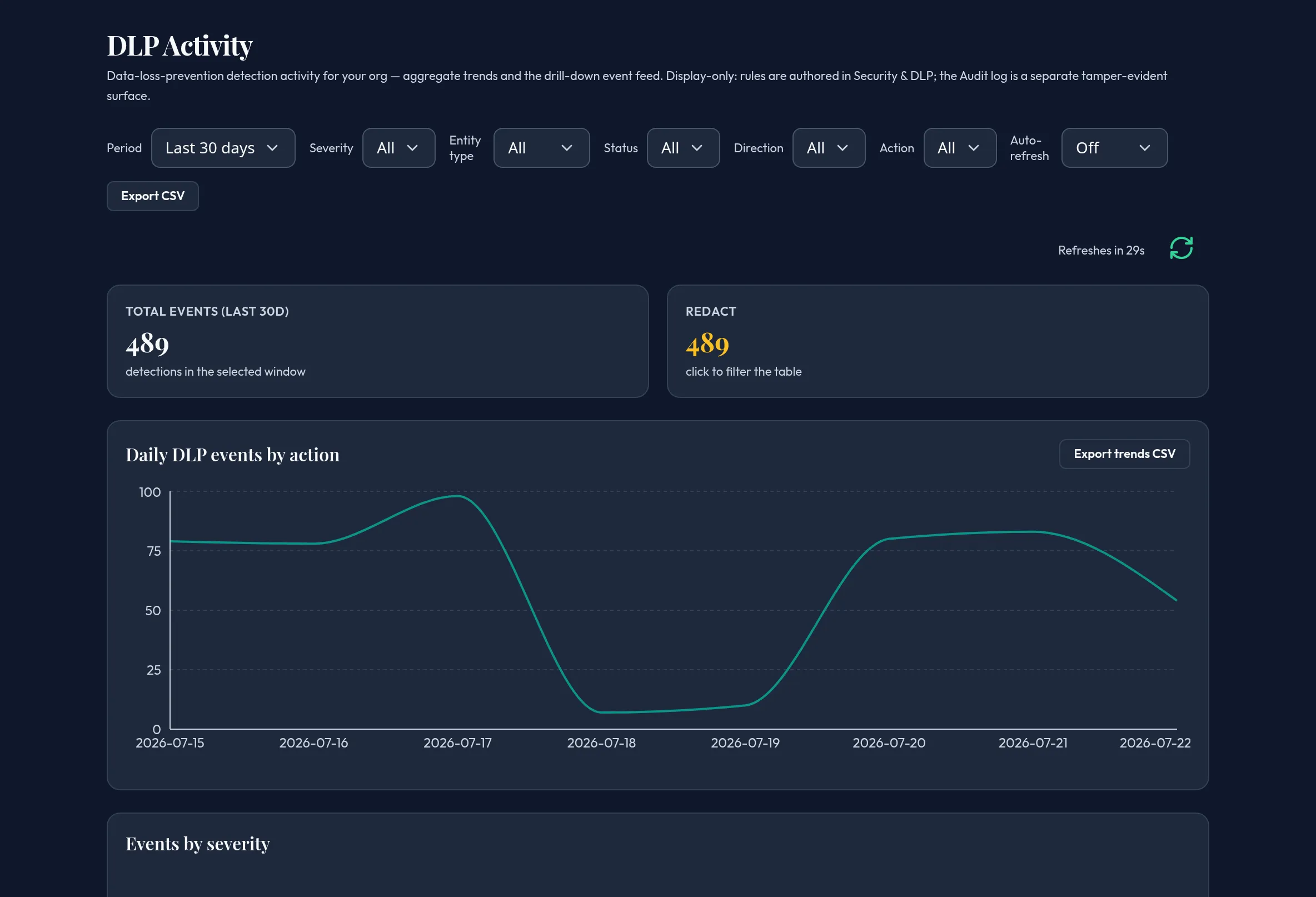
-
Open Monitoring & Reporting → DLP Activity. Choose a Period (7 / 30 / 90 days) — it scopes both the charts and the table’s date range together.
-
Review the action-summary tiles, the daily events-by-action trend, the severity donut, and the top triggered entity types and compliance frameworks (frameworks are derived from the detected entity types, not a separate read).
-
Click a severity slice, an entity-type row, or an action tile to cross-filter the table below. A chip shows the active cross-filter with a clear (×) control.
-
Use the table’s own filters — Severity, Entity type, Status, Direction, Action — and free-text search to narrow further, independent of the charts.
-
Export the aggregate trends to CSV from the chart panel, or export the table’s own filtered rows.
API equivalent
Section titled “API equivalent”curl -X POST "https://admin.arbitex.ai/api/v1/admin/monitoring/dlp/events" \ -H "Authorization: Bearer $ADMIN_TOKEN" \ -H "Content-Type: application/json" \ -d '{"date_from": "2026-06-20T00:00:00Z", "filter": {"severity": "high"}}'The charts read the same underlying events through dlp/breakdown,
dlp/timeseries, and dlp/stats — the merge is a pure UI consolidation, not a
new backend surface.
Plan & availability
Section titled “Plan & availability”Available on every plan.
Deployment notes
Section titled “Deployment notes”In an air-gapped deployment there is no telemetry rollup to the Arbitex cloud — this surface reflects only what the local control plane recorded.
Related
Section titled “Related”- Audit log — a separate, tamper-evident surface.
- Security & DLP — where detection rules are authored.
- Compliance Dashboard