

Model Risk Management
What it does
Section titled “What it does”Model Risk Management is the model-governance workbench: it groups your Model Catalog by family, lets you set a risk tier and validation status at the family or individual-version level, and run an approve / reject workflow with an auditable revision history. A rejected or deprecated model is blocked at dispatch, fail-closed.
Configure in the UI
Section titled “Configure in the UI”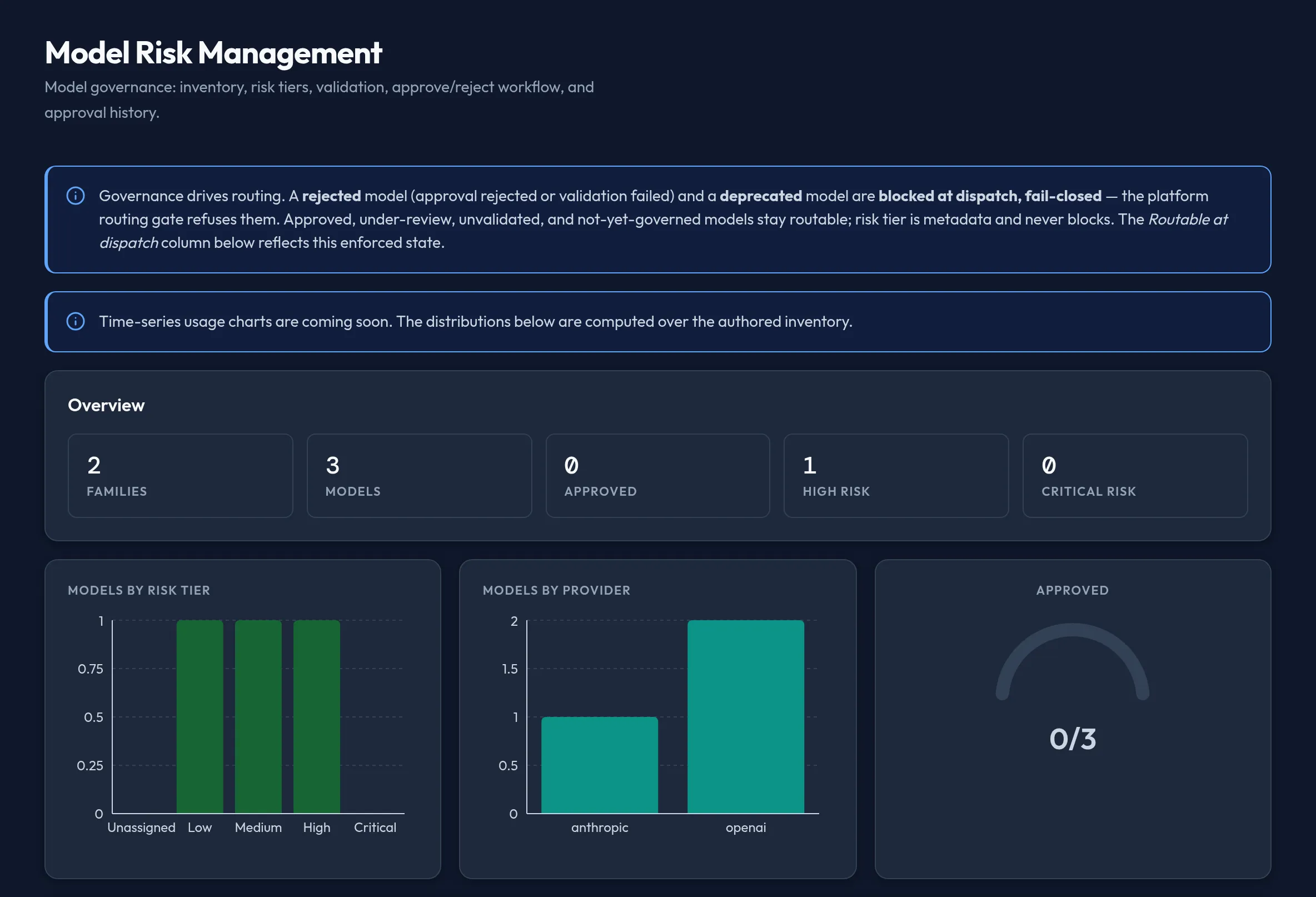
-
Open Models & Routing → Model Risk Management. Overview cards show totals for Families, Models, Approved, High risk, and Critical risk, alongside charts of models by risk tier and by provider.
-
In the inventory table, set Risk tier — Unassigned, Low, Medium, High, or Critical — and Validation — Unvalidated, Pending, Validated, or Failed — at the family level. This cascades to every version in that family; expand a family (▸) to override a single version instead. A family with mixed values across its versions shows a Mixed badge.
-
Select Approve or Reject on a family or version row and confirm in the dialog. Both actions commit an immutable, audited revision — there is no separate justification field, just the confirmation.
-
Review the Approval history grid at the bottom: each row is a revision, when it was committed, and how many records it covered — the full auditable trail of governance changes.
API equivalent
Section titled “API equivalent”curl -X POST "https://admin.arbitex.ai/api/v1/admin/models-routing/model-risk/list" \ -H "Authorization: Bearer $ADMIN_TOKEN" \ -H "Content-Type: application/json" \ -d '{"du_id": null}'Approve and reject are both expressed as the same authoring call — there is no separate approve/reject endpoint:
curl -X POST "https://admin.arbitex.ai/api/v1/admin/models-routing/model-risk/set" \ -H "Authorization: Bearer $ADMIN_TOKEN" \ -H "Content-Type: application/json" \ -d '{"du_id": null, "objects": [{"object_key": "claude-3-5-sonnet", "risk_tier": "medium", "validation_status": "validated", "approval_status": "approved"}]}'curl -X POST "https://admin.arbitex.ai/api/v1/admin/models-routing/model-risk/revisions" \ -H "Authorization: Bearer $ADMIN_TOKEN" \ -H "Content-Type: application/json" \ -d '{"du_id": null}'# → the approval-history revision logPlan & availability
Section titled “Plan & availability”No plan-tier gating is visible in the console for Model Risk Management itself — it is available to every admin regardless of plan. Broader compliance workflows (SOC 2 / HIPAA reporting) that this governance data feeds into are gated per your plan tier; see Billing & Plans.
Deployment notes
Section titled “Deployment notes”Risk tiers, validation status, and approval decisions are authored once and apply to every deployment unit serving your organization, including a Hybrid Outpost — a rejected model is blocked at dispatch at every outpost, not just the one where you approved or rejected it.
Related
Section titled “Related”- Model Catalog — the catalog this governance workbench is grouped from.
- Provider Credentials — credentials for the providers whose models you’re governing.