

Compliance Reports
What it does
Section titled “What it does”Compliance Reports provides per-framework evidence reporting: a card per enabled framework with a DLP-metrics overlay (events scanned, remediated, violations/leaked, a remediation-rate bar, top entity types), a Generate report action per framework and reporting period, a report-history table (framework, period, generated date, status, download), and CSV export of both the authored compliance-bundle posture and the current per-framework metrics snapshot.
Configure in the UI
Section titled “Configure in the UI”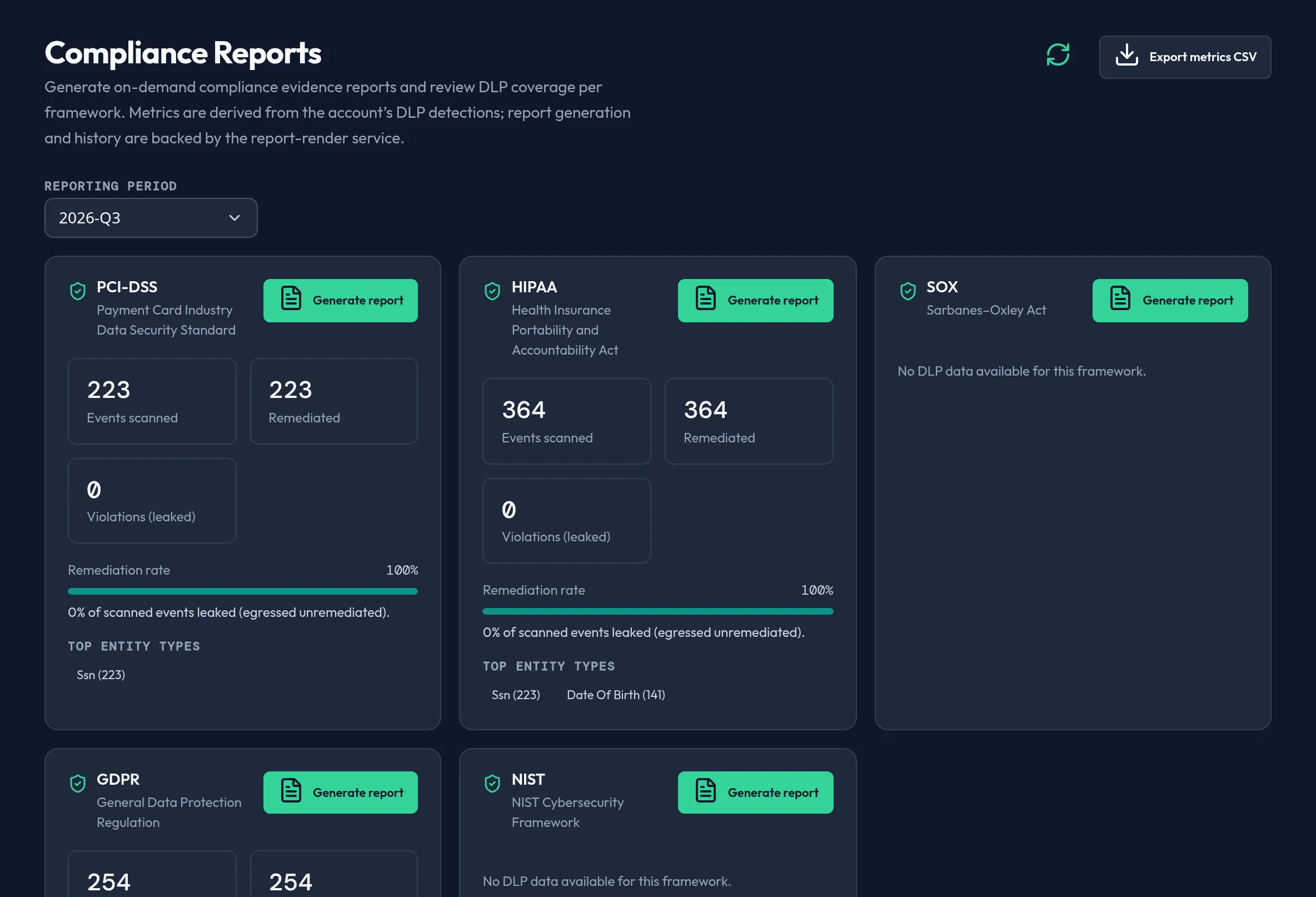
-
Open Monitoring & Reporting → Compliance Reports. Review each enabled framework’s card: events scanned, remediated (blocked/redacted — a success), violations (detected but egressed unremediated — leaked), and the remediation-rate bar.
-
Pick a reporting Period — the current quarter or one of the prior three.
-
Click Generate report on a framework’s card to synchronously render a real evidence document from your current posture; it becomes downloadable immediately.
-
Review the report-history table — framework, period, generated timestamp, status (Ready / Generating / Failed / Pending), and a Download action for ready reports.
-
Export the current metrics snapshot to CSV, or export the authored compliance-bundle posture to CSV.
API equivalent
Section titled “API equivalent”curl -X POST "https://admin.arbitex.ai/api/v1/admin/security/compliance/reports/list" \ -H "Authorization: Bearer $ADMIN_TOKEN" \ -H "Content-Type: application/json" \ -d '{}'
curl -X POST "https://admin.arbitex.ai/api/v1/admin/security/compliance/reports/generate" \ -H "Authorization: Bearer $ADMIN_TOKEN" \ -H "Content-Type: application/json" \ -d '{"framework": "hipaa", "period": "2026-Q3"}'Reports are downloaded through a dedicated download call keyed by report ID.
Plan & availability
Section titled “Plan & availability”Available on every plan. Framework cards are scoped to your enabled compliance bundles — see Compliance Bundles.
Deployment notes
Section titled “Deployment notes”Report generation renders synchronously from your organization’s real, tenant-scoped compliance posture and persists the artifact server-side; download is admin-gated and tenant-scoped.